
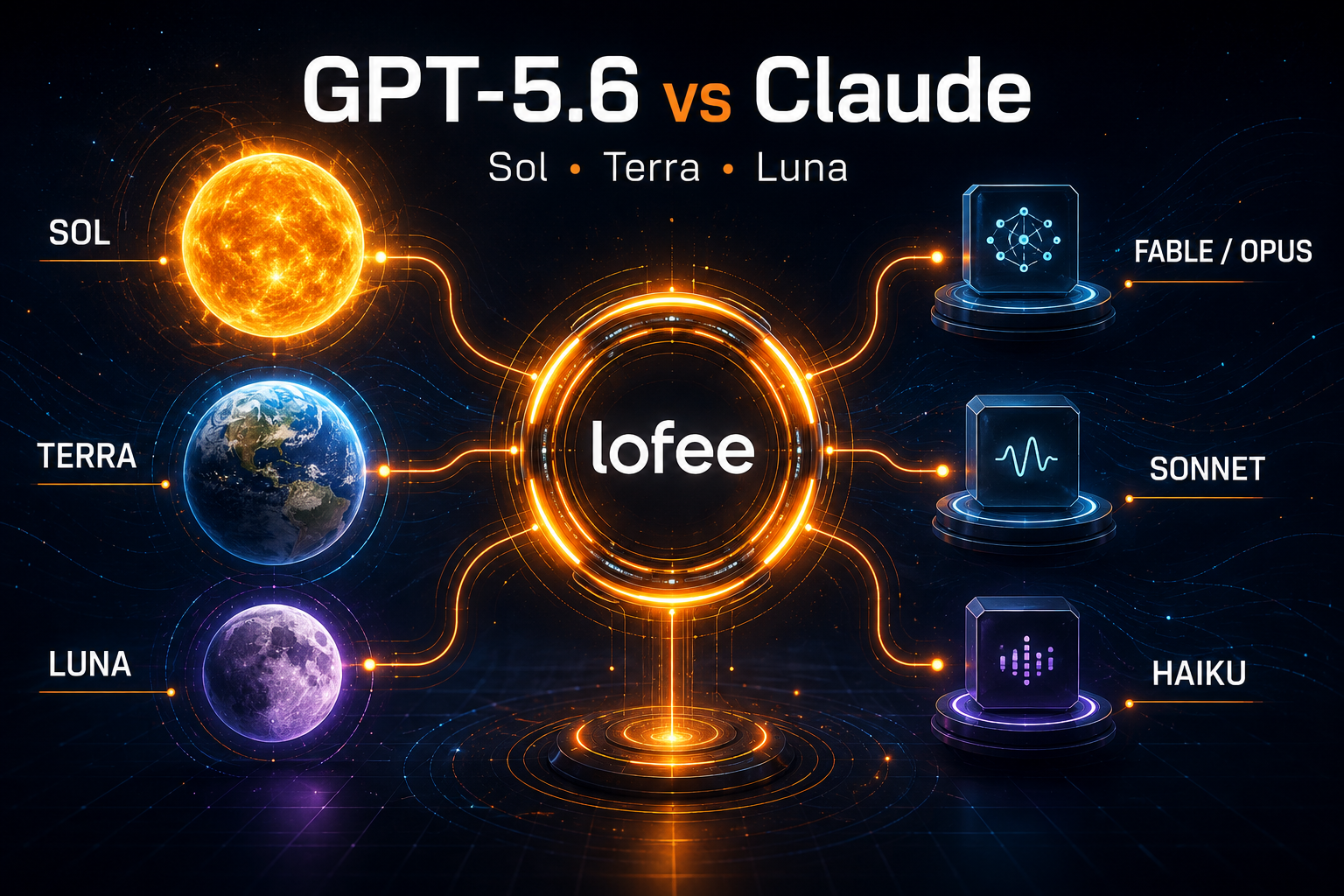
If you are choosing between GPT-5.6 Sol, Terra, and Luna in Codex, an OpenAI-compatible API, or an AI model router, the names are less useful than the workload behind them. Sol is the flagship tier for difficult, high-stakes work. Terra is the balanced default for everyday production tasks. Luna is the low-cost option for simple requests at scale.
Developers coming from Claude can use a rough tier comparison: Sol overlaps with the jobs you might send to Claude Fable or Opus, Terra competes for the same “daily driver” role as Sonnet, and Luna serves many of the high-throughput jobs commonly assigned to Haiku. This is a purchasing and routing analogy, not an official one-to-one model mapping.
Pricing and specifications in this guide were checked on August 26, 2026. Model availability and gateway pricing can change, so verify the current route before deploying.
GPT-5.6 Sol vs Terra vs Luna: the quick answer
| Model | Best default use | Rough Claude tier | Standard API price per 1M tokens Input / output |
|---|---|---|---|
| GPT-5.6 Sol | Complex coding, architecture, difficult debugging, long-running agents | Claude Fable / Opus | $4 / $20 |
| GPT-5.6 Terra | Everyday development, product features, tests, analysis, normal agents | Claude Sonnet | $2 / $12 |
| GPT-5.6 Luna | Classification, extraction, rewriting, routing, simple automation at volume | Claude Haiku | $0.20 / $1.20 |
If you do not yet have workload-specific evaluations, use this starting rule:
- Start with Terra for a new production feature.
- Promote to Sol when failures are expensive or the task requires sustained reasoning across many steps.
- Downgrade to Luna when the task is narrow, easy to validate, and repeated at high volume.
Lofee AI Router
One Affordable API.
Claude, GPT, Gemini and more — through one affordable API. Use one account, create separate keys for apps or team members, and keep model usage easier to track.
What actually changes between Sol, Terra, and Luna?
The three GPT-5.6 models share a surprisingly large technical envelope. OpenAI lists a 1.05-million-token context window, up to 128K output tokens, image input, tool support, and the same reasoning-effort range from none through max for all three. The main difference is the capability, latency, and price point you are buying.
That means model selection should not be reduced to “which model accepts my prompt?” All three may accept it. The useful question is: which model completes this workload at the lowest total cost after failures, retries, latency, and human review?
GPT-5.6 Sol: use it when failure costs more than tokens
gpt-5.6-sol is OpenAI’s flagship GPT-5.6 model for complex professional work, reasoning, and coding. It is the safest starting point when the task is ambiguous, spans a large repository, requires several tool calls, or needs the model to keep a plan coherent over a long run.
Typical Sol workloads include:
- cross-repository or multi-file code changes;
- architecture decisions and migration plans;
- difficult production incidents and root-cause analysis;
- security-sensitive reviews and complex edge cases;
- long-running agents that read files, modify code, run tests, and recover from failures;
- high-value research or analysis where an incomplete answer creates expensive downstream work.
Sol is not automatically the best model for every request. A flagship model used for tagging, templated extraction, or short rewrites can increase cost without producing business value. Use it where deeper reasoning measurably reduces retries, missed cases, or engineer review time.
GPT-5.6 Terra: the practical default for most products
gpt-5.6-terra is designed to balance intelligence and cost. For many AI developers and small AI companies, it is the best place to begin because it can handle meaningful development work without applying flagship pricing to every request.
Terra is a strong candidate for:
- everyday code generation and explanation;
- unit tests, scripts, documentation, and pull-request summaries;
- log analysis and configuration troubleshooting;
- normal tool-using agents with bounded workflows;
- customer-facing features that need good reasoning but run frequently;
- content transformation where quality matters more than absolute minimum cost.
A sensible production policy is to make Terra the default, then promote only the requests that demonstrate a need for Sol. This is usually easier to control than starting with the most expensive model and later trying to discover which traffic never needed it.
GPT-5.6 Luna: design the workflow for volume and validation
gpt-5.6-luna is the cost-sensitive, high-volume member of the family. At $0.20 per million input tokens and $1.20 per million output tokens, Luna can change the economics of features that make thousands or millions of short, predictable calls.
Good Luna workloads include:
- classification, tagging, and intent detection;
- short summaries and title generation;
- structured extraction with a narrow schema;
- format conversion and text normalization;
- simple FAQ responses with retrieval and guardrails;
- routing a request before a more capable model handles the difficult part.
The key is validation. A cheap model becomes expensive when errors silently enter a database or trigger repeated human review. Give Luna narrow instructions, prefer structured outputs where the route supports them, validate the result, and escalate uncertain cases. Our guide to consistent OpenAI API output formats explains how JSON Schema and validation fit into that workflow.
How GPT-5.6 compares with Claude Fable, Opus, Sonnet, and Haiku
Anthropic’s current family has four relevant tiers: Fable 5 for its highest generally available capability, Opus 5 for complex agentic coding and enterprise work, Sonnet 5 for the speed-intelligence balance, and Haiku 4.5 for the fastest low-cost workloads.
| Workload tier | OpenAI choice | Claude choice | How to decide |
|---|---|---|---|
| Maximum capability / long-running agents | Sol | Fable 5 | Run evals on your hardest representative tasks; compare completion rate, review time, latency, and total tokens. |
| Complex coding / enterprise agent work | Sol | Opus 5 | Choose by repository performance, tool reliability, output style, and route cost—not by tier name. |
| Balanced production default | Terra | Sonnet 5 | Both target a quality-cost balance. Test the actual feature and prompt set. |
| Fast, high-volume work | Luna | Haiku 4.5 | Compare accuracy at your acceptance threshold and include retry/escalation cost. |
The mapping is intentionally approximate. The providers use different architectures, tokenizers, reasoning controls, caching systems, tool implementations, and serving infrastructure. “Sol equals Opus” or “Terra equals Sonnet” is not a benchmark result. It is a useful shortlist for your own evaluation.
Price comparison at a glance
| Model | Input / 1M tokens | Output / 1M tokens | Context window | Maximum output |
|---|---|---|---|---|
| GPT-5.6 Sol | $4.00 | $20.00 | 1.05M | 128K |
| GPT-5.6 Terra | $2.00 | $12.00 | 1.05M | 128K |
| GPT-5.6 Luna | $0.20 | $1.20 | 1.05M | 128K |
| Claude Fable 5 | $10.00 | $50.00 | 1M | 128K |
| Claude Opus 5 | $5.00 | $25.00 | 1M | 128K |
| Claude Sonnet 5 | $2.00 | $10.00 | 1M | 128K |
| Claude Haiku 4.5 | $1.00 | $5.00 | 200K | 64K |
At list price, Terra and Sonnet 5 sit very close: both charge $2 per million input tokens, while Sonnet 5 lists $10 per million output tokens versus Terra’s $12. Luna is dramatically cheaper than Haiku 4.5 on raw token price, but raw price is only decisive if Luna meets the same acceptance criteria for your task.
A realistic monthly cost example
Suppose a feature processes 50 million input tokens and 10 million output tokens per month, before cache or batch discounts. The list-price calculation would look like this:
| Model | Estimated monthly token cost |
|---|---|
| GPT-5.6 Sol | $400 |
| GPT-5.6 Terra | $220 |
| GPT-5.6 Luna | $22 |
| Claude Fable 5 | $1,000 |
| Claude Opus 5 | $500 |
| Claude Sonnet 5 | $200 |
| Claude Haiku 4.5 | $100 |
This table does not prove that the cheapest model is the cheapest system. If Luna requires more retries, produces longer outputs, or pushes 10% of cases into manual review, its real cost can exceed Terra. If Sol solves a complex engineering task in one pass that Terra needs three attempts to complete, Sol may be the economical choice.
Three routing patterns that work for small AI teams
1. Default to Terra, escalate to Sol
This is the simplest general-purpose policy. Send normal traffic to Terra. Escalate when the task involves many files, repeated tool failures, low confidence, a large blast radius, or a premium user flow where failure is costly.
default: gpt-5.6-terra
promote_to: gpt-5.6-sol
promote_when:
  - complex multi-file change
  - failed validation or retry
  - high-risk production decision
  - long-horizon agent task
2. Use Luna as a front-end worker
Let Luna classify, normalize, extract, or route the request. Only send the smaller subset of difficult cases to Terra or Sol. This pattern can reduce cost without lowering the quality of the final high-value step.
3. Route by product feature, not by provider loyalty
A coding agent, support classifier, document extractor, and marketing copilot have different failure modes. One team may reasonably use Sol for repository work, Sonnet for a writing-heavy user experience, and Luna for background tagging. A unified gateway makes this easier because the application does not need a completely separate account, balance, and key-management process for every experiment.
Build the routing policy without multiplying API accounts.
With Lofee, you can use dedicated keys for individual apps or team members, review usage in one dashboard, and connect OpenAI-compatible or Claude-compatible workflows through the appropriate routes.
Start with Lofee · Open the dashboard · Check service availability
What to measure before switching models
Do not choose a production model from a single impressive prompt. Build a small evaluation set from real traffic and measure:
- task success: did the result meet the actual product requirement?
- validation pass rate: did structured output, tests, or business rules pass?
- retry and escalation rate: how often did the cheap route need a second model?
- latency: include tool calls and retries, not only first-token speed;
- total tokens: a lower per-token price can lose its advantage if the model produces much longer outputs;
- human review time: engineer and operations time often costs more than the API call;
- provider-specific behavior: tool use, tone, code style, and instruction following may matter as much as benchmark scores.
OpenAI recommends starting GPT-5.6 migrations at the reasoning effort already used by your previous model, then testing the same level and one level lower. That is a useful reminder that model slug and reasoning effort should be evaluated together.
Common model-selection mistakes
Using the flagship for every request
This simplifies early development but hides which traffic could run at a fraction of the cost. Add request-level usage tracking before volume grows.
Optimizing only for token price
A model that fails twice is not half the cost. Include retries, output length, review, and customer impact.
Assuming an OpenAI-compatible endpoint makes every feature identical
Compatibility makes common client integration easier, but advanced features can vary by model and route. Verify support for structured outputs, function calling, streaming, tool calls, caching, and reasoning controls before depending on them in production.
Sending 1M tokens just because the model accepts them
Large context windows are useful, but irrelevant context increases cost and can make evaluation harder. Retrieve and send what the task needs. Note that OpenAI applies higher long-context token prices above 272K prompt tokens, while Anthropic’s current Claude 4.6-and-later pricing documentation includes the full 1M window at standard per-token rates.
FAQ
Start with GPT-5.6 Terra for a new general production workload. Move difficult or high-cost-of-failure tasks to Sol, and move narrow high-volume tasks to Luna after validating quality.
No. Sol, Opus, and Fable are different models from different providers. They overlap as candidates for complex, high-value workloads, but only an evaluation on your own tasks can establish which performs better for your application.
Luna has the lowest GPT-5.6 list price, but the cheapest system depends on task accuracy, retries, output length, escalation, and human review. Use Luna for narrow workloads with strong validation.
Yes. A model router or gateway can expose appropriate OpenAI-compatible and Claude-compatible routes so a product can assign different models to different workloads. Confirm the exact route and feature support before deployment.
OpenAI currently lists the same 1.05M-token context window and 128K maximum output for all three GPT-5.6 models. Prompts above 272K tokens are billed at OpenAI’s higher long-context rates.
Final recommendation
For most developers, the best first architecture is straightforward: Terra by default, Sol for hard or high-risk work, and Luna for validated high-volume tasks. Treat Claude Fable, Opus, Sonnet, and Haiku as additional candidates at similar workload tiers—not as exact equivalents.
The winning setup is rarely one model for everything. It is a routing policy backed by evaluations, predictable output handling, separate keys, and clear usage data. That is the point of using an AI gateway: spend less time maintaining provider-specific plumbing and more time measuring what actually works for your users.
Leave a Reply