
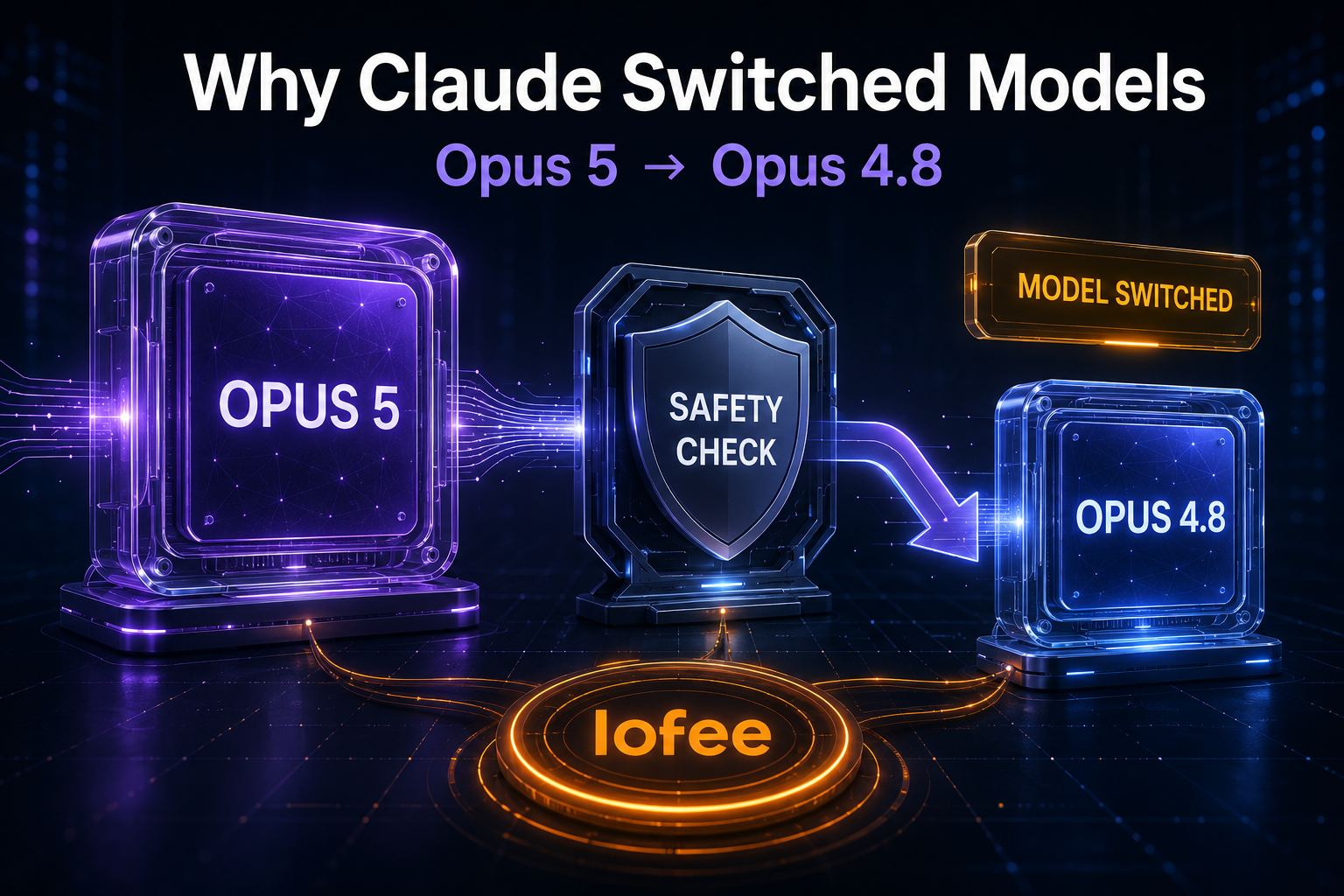
You selected Claude Opus 5, sent a message, and then saw a notice that Claude Opus 5 switched models. The response may even be labeled Opus 4.8 instead of Opus 5. For developers, Claude Code users, and teams working through AI gateways, this can look like a routing error or an undocumented provider change.
In the case described by Anthropic, it is neither random load balancing nor a price-saving shortcut. It is an intentional cyber-safety fallback: certain higher-risk cybersecurity requests sent to Opus 5 are automatically re-run on Opus 4.8, with a visible notice that the model changed.
This guide explains why Claude Opus 5 switched models, what can trigger the fallback, what happens to the rest of the conversation, and how AI developers should distinguish an Anthropic safety intervention from normal API gateway failover.
This article reflects Anthropic’s published guidance checked on August 26, 2026. Safeguards, model availability, and product settings can change.
Quick answer: why Claude Opus 5 switched models
Anthropic runs automated safety classifiers on every request sent to Claude Opus 5. A narrow category of higher-risk offensive cybersecurity requests may trigger a visible fallback from Opus 5 to Opus 4.8. Anthropic lists examples such as exploit generation, binary-based vulnerability scanning, and penetration testing.
| What you see | What it usually means | What happens next |
|---|---|---|
| A “model switched” notice | Opus 5’s safety check flagged the request or other conversation context | The request is re-run on Opus 4.8 |
| The response is labeled Opus 4.8 | The fallback model produced the answer | The model picker remains on Opus 4.8 |
| Switching back triggers another fallback | The original flagged content is still in the conversation | Edit the earlier message or begin with cleaner context |
| Automatic switching is disabled | Claude will not silently continue on the fallback model | The conversation pauses so you can edit, retry, or choose another model |
Most security-related requests do not trigger this behavior. Anthropic says users can still use Opus 5 for defensive work such as reviewing source code for vulnerabilities, triaging security issues, and building secure code.
Lofee AI Router
One Affordable API.
Claude, GPT, Gemini and more — through one affordable API. Use separate keys for apps or team members, keep usage easier to trace, and compare supported model routes without maintaining a separate balance everywhere.
What Claude’s Opus 5 fallback actually is
Opus 5 is more capable than Opus 4.8 in software engineering and cybersecurity, so Anthropic says it configured safeguards in line with those capability gains. The fallback provides a way to keep ordinary security work available while applying stricter handling to a smaller group of potentially risky requests.
The important word is visible. When automatic switching occurs in the supported Claude experience:
- The Opus 5 request is flagged by a safety classifier.
- Claude re-runs the request on Opus 4.8 in the same conversation.
- The interface displays a notice explaining that the model changed.
- The response is labeled with the model that actually answered.
- The model picker stays on Opus 4.8 for later messages in that conversation.
This matters for debugging. Do not evaluate the response as if it definitely came from Opus 5 merely because Opus 5 was selected at the beginning of the chat. The model label attached to the response is the useful evidence.
What requests can trigger an Opus 5 model switch?
Anthropic describes the Opus 5 fallback as focused on higher-risk offensive cybersecurity activity. Published examples include:
- exploit generation;
- binary-based vulnerability scanning;
- penetration testing.
These categories are broad enough to include both misuse and legitimate defensive work. That is why false positives can happen, particularly for security researchers, red teams, vulnerability-management vendors, and developers building defensive security products.
The practical implication is not “avoid all security prompts.” It is to make defensive intent, authorization, target ownership, and requested boundaries clear. If a request is blocked despite a legitimate purpose, use the feedback and verification channels Anthropic provides rather than trying to disguise or fragment the request.
The classifier reads more than your latest message
One of the most important details in Anthropic’s explanation is that safety checks review everything the model reads, not only the message you just typed. Relevant context can include:
- earlier messages in the conversation;
- Claude memory;
- files attached to the conversation;
- content retrieved from connectors;
- web search results;
- tool output or other material added to the active context.
That explains a common source of confusion: a harmless-looking final prompt may be the moment the model switches even though the trigger came from an earlier file, a connector result, or a previous security discussion.
If switching back to Opus 5 immediately causes another fallback, the same flagged material may still be present. Anthropic specifically notes that editing the earlier message before retrying often helps. For normal non-security work, starting a clean conversation can also be a useful diagnostic because it removes unrelated historical context.
What happens after Claude switches models?
Automatic switching is enabled by default the first time a user selects Opus 5. When a fallback occurs, the conversation continues on Opus 4.8 unless the user changes the model again.
This has several practical effects:
- Response behavior may change. Style, depth, tool judgment, or coding performance may differ because a different model answered.
- Later turns remain on the fallback model. A developer can mistakenly compare several Opus 4.8 answers while believing the conversation is still using Opus 5.
- Returning to Opus 5 does not remove the original context. The same safety check can trigger again.
- Opus 4.8 still has safeguards. A request can also be blocked on the fallback model.
If the Opus 4.8 request is blocked, Anthropic recommends editing the message and retrying. Legitimate defensive-security teams affected repeatedly can also investigate the Cyber Verification Program.
How to turn automatic model switching off
Users who prefer an explicit failure instead of a continued response from another model can disable automatic switching:
- In Claude, open Settings → Capabilities.
- In Claude Code, open Config → MODEL & OUTPUT.
- Turn off Switch models when a message is flagged.
With switching disabled, a flagged request pauses the conversation. You can then edit the prompt and retry on Opus 5 or manually send the request to another model. This is often the better setting for evaluation work because it prevents an automatic fallback from contaminating a supposedly model-specific test set.
Where automatic switching applies
Anthropic says the behavior works consistently across its supported Opus 5 product surfaces, including Claude on the web, mobile and desktop apps, Claude Cowork, Claude Code, Claude Design, Claude for Microsoft 365, Claude Tag, and Claude Science.
However, that statement should not be generalized into “every third-party API gateway always performs the same model swap.” Anthropic’s separate safeguards guidance treats first-party access, the Anthropic API, cloud providers, BYOK setups, and third-party platforms as distinct access paths. A third-party product may expose safety behavior, errors, model information, and fallback controls differently.
Safety fallback vs API gateway failover: do not confuse them
For users of AI relay services and model routers, “Claude switched models” can describe several technically different events.
| Event | Typical cause | Useful evidence | Who controls it? |
|---|---|---|---|
| Anthropic safety fallback | A safety classifier flags higher-risk context | Visible switch notice, response model label, safety-related error or provider documentation | Anthropic safeguards and product settings |
| Gateway failover | Rate limit, provider outage, route health, or configured redundancy | Gateway logs, upstream ID, retry chain, request ID, routing policy | The gateway or platform operator |
| Model alias update | An alias is repointed to a newer snapshot | Provider changelog, resolved model ID, deployment metadata | The provider or route maintainer |
| Manual model change | A user or application selects another model | UI history, request payload, application logs | The user or application |
Writing style is not sufficient evidence. A shorter answer, a different coding preference, or weaker performance might indicate a different model, but it could also come from changed context, tool output, reasoning settings, or normal output variance.
What Claude Code users should check
If Claude Code unexpectedly reports a model switch, use this checklist:
- Read the notice. Confirm whether it explicitly says the message was flagged and a different model answered.
- Check the current model after the response. The picker may remain on Opus 4.8.
- Inspect the active context. Repository files, command output, connectors, and previous prompts can be relevant.
- Separate evaluation from normal work. Disable automatic switching when you need model-pure benchmark results.
- Preserve legitimate context. State that the work is authorized and defensive; do not remove details merely to evade safety controls.
- Report false positives. Repeated incorrect fallbacks are useful feedback for improving classifiers.
If you are also deciding between Claude and GPT models for coding workloads, see our practical comparison of GPT-5.6 Sol, Terra, and Luna vs Claude.
What API developers and AI startups should log
A production application should be able to answer a basic audit question: which model did we request, which route handled it, and what actually produced the response?
Record the following fields where the provider or gateway makes them available:
requested_model
returned_or_resolved_model
upstream_provider_or_route
request_id
timestamp
retry_count
fallback_or_error_reason
input_tokens
output_tokens
application_key_id
Not every provider returns every field, and a product UI notice may contain information that is not exposed identically through an API. Your logging schema should preserve what is available without inventing a fallback reason.
For small teams, separate application keys are especially valuable. If a security-analysis feature and a marketing assistant share one key, it becomes harder to determine which workload caused a spike in errors, fallback behavior, or spend. Dedicated keys create a cleaner boundary for troubleshooting and rotation.
Design a fallback policy before production traffic
Teams should decide in advance whether a model change is acceptable for each feature.
| Workload | Recommended policy | Reason |
|---|---|---|
| Casual assistant or internal drafting | Allow a clearly disclosed fallback | Continuity may matter more than exact model identity |
| Model evaluation or benchmark | Stop on model mismatch | A fallback invalidates the comparison |
| Regulated or audited workflow | Require model and route evidence | Traceability is part of the product requirement |
| Security research | Preserve provider notices and authorization context | False positives and legitimate dual-use work require careful review |
| High-value agent task | Escalate or pause according to a documented rule | A less capable model may change task success or review cost |
The application should not silently claim “Opus 5 completed the task” when the evidence says another model answered. Show the user a model label or log the route internally, depending on the product’s transparency requirements.
Make model troubleshooting easier with cleaner routing boundaries.
Lofee provides one account for supported Claude, GPT, Gemini, and other model routes, with dedicated application keys and a unified usage view. Provider safeguards still apply; the advantage is simpler access, clearer usage tracking, and less duplicated key management.
Start with Lofee · Open the dashboard · Check service availability
Legitimate security work and the Cyber Verification Program
Anthropic’s real-time cyber safeguards distinguish prohibited activity from high-risk dual-use activity. Prohibited uses, such as ransomware development or mass data exfiltration, remain blocked. Some legitimate defensive teams working on vulnerability exploitation or offensive security tooling may be eligible for the Cyber Verification Program.
The application path depends on how Claude is accessed:
- Anthropic first-party users, Claude Code users, Anthropic API customers, and BYOK customers can follow Anthropic’s verification process.
- Cloud-provider availability and requirements differ by platform.
- Users of third-party platforms should contact that platform because not every platform participates in the program.
A gateway is not a way to bypass provider safeguards. If your organization performs authorized dual-use security work, use the provider’s documented verification and appeals process and keep your organization, route, and approval details aligned.
Common mistakes when Claude switches models
Assuming the gateway changed the model
Start with the wording of the notice and the response label. A safety fallback described by Claude is not automatically evidence of gateway failover.
Switching back without changing the context
The classifier reads the conversation and other material available to the model. The same trigger can remain after you manually reselect Opus 5.
Using fallback responses in an Opus 5 benchmark
If automatic switching is enabled, a benchmark can silently become a mixed-model evaluation. Disable switching or reject any run where the returned model does not match the requested model.
Trying to evade the classifier
Obfuscating a request is not a reliable or appropriate solution. Legitimate security teams should clarify authorization, edit ambiguous wording, submit feedback, or use the verification process.
Failing to separate app keys and logs
Shared keys collapse unrelated traffic into one usage stream. That makes safety events, outages, spend, and route failures much harder to diagnose.
FAQ
Anthropic says a narrow set of higher-risk offensive cybersecurity requests can trigger a safety fallback from Opus 5 to Opus 4.8. Claude displays a notice and labels the response with the model that answered.
The specific Opus 5 behavior described by Anthropic is a safety fallback, not random capacity balancing. Gateway failover, manual changes, and alias updates are separate events and should be diagnosed from logs and model metadata.
Yes. Turn off “Switch models when a message is flagged” under Settings → Capabilities, or Config → MODEL & OUTPUT in Claude Code. A flagged request will then pause instead of automatically continuing on another model.
Yes. Anthropic says the checks review everything the model reads, including memory, files, connector content, web results, and conversation history—not only the latest message.
No. Provider safeguards still apply. A gateway can simplify route access, key management, usage tracking, and troubleshooting, but legitimate dual-use security teams should use Anthropic’s documented verification and appeals process.
Final takeaway
When Claude Opus 5 visibly switches to Opus 4.8, the first explanation to check is Anthropic’s documented cyber-safety fallback. The request may have been flagged because of the latest prompt, earlier conversation history, a file, memory, connector data, or another input the model read.
For individual users, the solution is to check the response label, review the active context, edit ambiguous messages, and decide whether automatic switching should remain enabled. For AI companies, the larger lesson is operational: log requested and returned model information, define whether fallback is acceptable, separate keys by application, and never confuse provider safety behavior with gateway failover.
Leave a Reply